


For wedding, family and portrait photographers
Clients pick photos in the gallery, not by email.
You send one link. Your client marks the photos to edit, drops a pin where something needs fixing and sends the selection. You get a file list ready to paste into Lightroom.
14 days free, no card · Clients don’t need an account


How it goes today
The photos are in one place and the selection in five others.
An email with numbers
“Let’s take 4021, 4033 and the one with the cake, around 150?” Then you look for the one with the cake.
A shared folder
It shares the files but doesn’t collect a selection. The client replies by email anyway.
A messenger
Edits arrive in three chats over two days. One of them always gets lost.
A spreadsheet
Works until the client changes their mind and sends a second version.
Each of these ends with retyping file numbers. In Pixeria clients choose where they look at the photos.
Selection
Your client marks photos, you know what to edit.
Every photo has three buttons: selected, needs a fix, rejected. Clicking on the photo, your client drops a pin exactly where they want a change and adds a note.
- Copy the selected file names in one click, ready to search in Lightroom or Finder.
- You see the pins on the photo in the order, where the client put them.
- Clients can come back to their selection until they send it.



Approval
Edited photos go back to the client for approval.
Upload the edited versions to the same order. Your client approves them or asks for another round, and you both see where the work stands.
- Every round of edits in one place, not in new emails.
- Stages: new selection, editing, awaiting approval, approved.
- Once approved, you make the photos available to download.

Galleries
A gallery clients open on their phone, no account needed.
Set access for each gallery: open to everyone, with a password or only for chosen email addresses.
- A watermark on previews and a date when the gallery closes.
- Downloads in full resolution or in a size for social media.
- Packages and prints: clients order in the gallery and pay by bank transfer or online by card, straight to your account.





Website
A portfolio website in the same place.
Seven languages to choose from (Polish, English, German, French, Spanish, Italian and Brazilian Portuguese), and a contact form whose inquiries land in your dashboard. On the Pro and Max plans: 10 templates, 18 homepage modules, subpages and a blog. On Starter a simple page with a photo and a headline, About me, Contact and the client area.
- An address on pixeria.io or your own domain, on every plan.
- On Pro and Max also voucher sales, workshop sign-ups and a newsletter.
- The website is optional: galleries work without it.



How it works
One session, from upload to approval.
- 1
Monday
You upload 180 photos from Anna and Tom’s session and send them the link.
- 2
Tuesday evening
Anna picks 30 photos on her phone. On two she pins the sky: warmer light.
- 3
Wednesday
You copy the file names into Lightroom, edit and upload the finished photos.
- 4
Thursday
Anna approves. The order is closed and the photos are ready to download.
Website
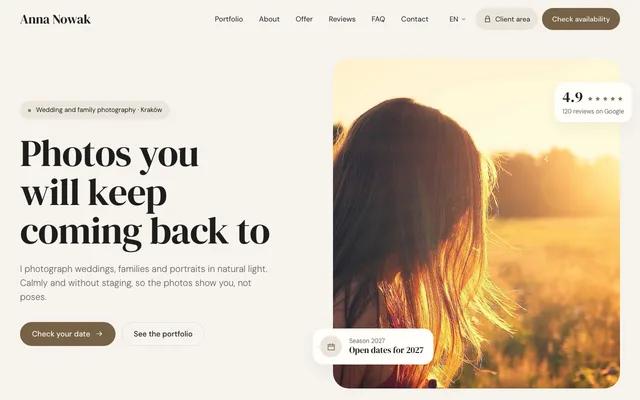
10 templates, and you write the content once.
Every template shows the same modules: portfolio, offer, reviews, contact. Switch the template and your texts and photos stay where they are. Templates come with the Pro and Max plans.
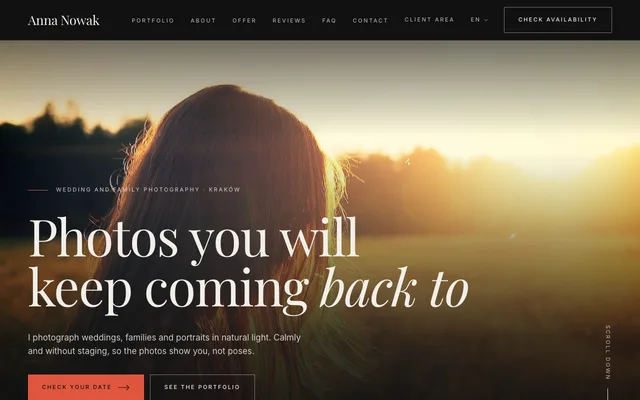
Editorial

Minimal

Elegance
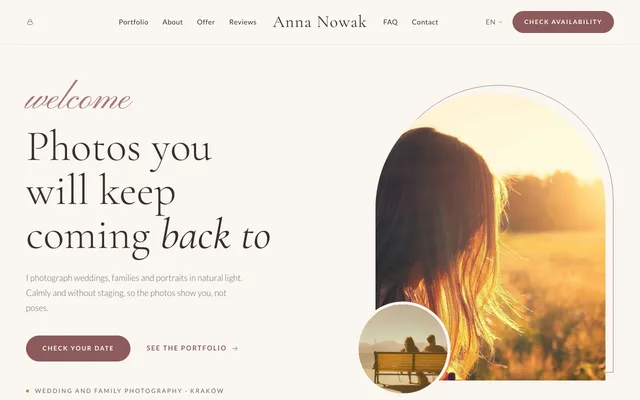
Romance
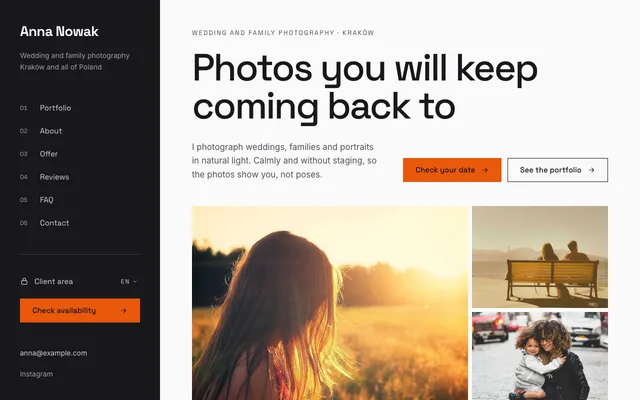
Split
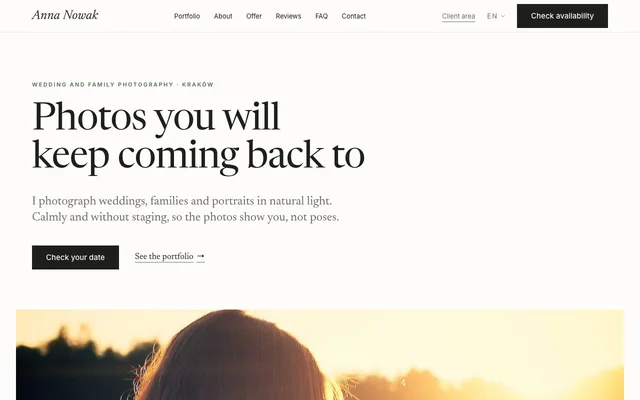
Journal
Nordic
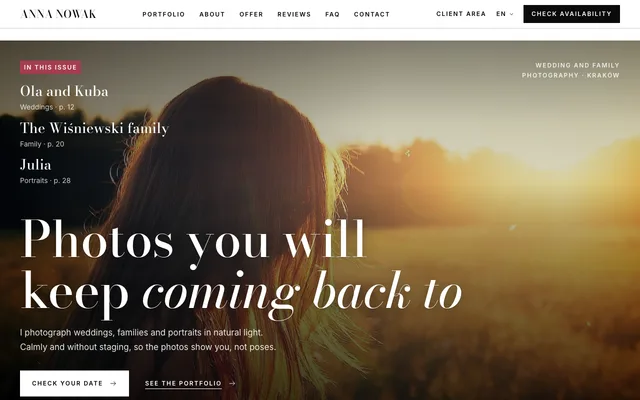
Magazine
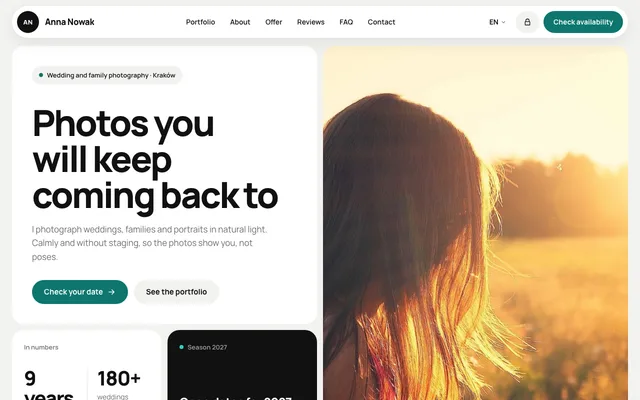
Bento
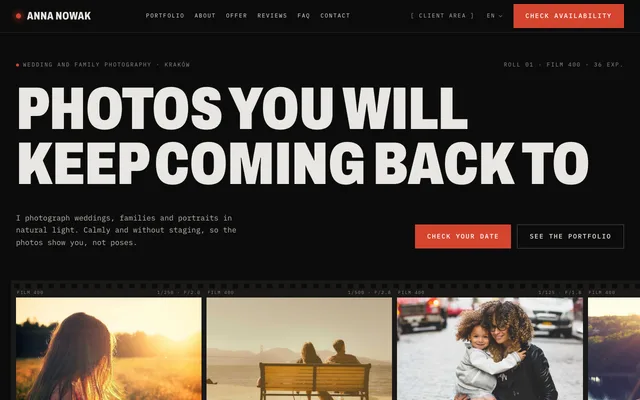
Darkroom
Already have a website?
Keep it, or move it to Pixeria without losing anything on the way.
Keep it and add galleries
Paste Pixeria’s contact form and a client-area button into your own site, for example in WordPress, Wix or Squarespace. On every plan.
Old addresses keep working
Redirect any old address, such as /newborn-session/, to its new place (301), so links from Google don’t end in an error. The rules work even before you switch the domain.
We connect the domain for you
The dashboard has a “Do it for me” button. We connect the domain or walk you through it on the phone, so your email keeps working.
A blog from WordPress
Write to us and, on Pro and Max, we move the posts, categories and photos for you at no extra cost, and redirect the old post addresses to the new ones. Comments are not moved.
Questions about moving: support@pixeria.io.
Features
Everything Pixeria does.
The first six groups on every plan, the seventh on Pro and Max. Plans also differ in space.
Galleries
- JPG, PNG and HEIC photos up to 50 MB, previews made for you
- Categories in a gallery, sorted by hand, by date or by name
- A cover and a closing date, with a default for new galleries
- Five gallery looks, each light and dark
Access
- Public, password-protected, for any confirmed email or only for chosen addresses
- Email invitations and a list of people with their last visit
- A client area on your website: in by an email link or a gallery code
- Photo links expire, and you revoke old ones with one click
Selection and approval
- Clients mark photos as selected, needs a fix or rejected
- Pins with a note on the exact spot of a photo, with replies
- Edit rounds: you send the edits, the client approves or asks for a change
- File names to copy for Lightroom, Finder or as a list
Downloads and watermark
- Single photos, a selection or the whole gallery as a ZIP
- Your choice of quality: preview, full, a custom width or the original, plus a social media size
- A text or logo watermark: position or tiles, size, opacity and rotation
- After approval, clients download the final photos for as long as you set
Selling
- Packages with a number of photos and a price for each extra one
- Price list templates and a custom price list per gallery
- Orders with prints and a shipping address, paid by bank transfer or online by card, straight to you
- Order statuses and a tracking number, with an email to the client at every change
Website
- A simple page on Starter: a photo with a headline, About me, Contact and the client area
- Seven languages to choose from, a sitemap and search engine descriptions
- Your own domain and redirects from old addresses (301), so links from Google keep working
- A contact form, with inquiries in your dashboard and their status
- The form and a client-area button to paste into the website you already have
- Draft terms and privacy policy with your business details
Website on Pro and Max
- 10 templates and 18 homepage modules, from portfolio and offer to reviews, FAQ, films and Instagram
- Subpages with their own address, password-protected if you like
- A blog: posts with photos in the text, a gallery below and categories
- Selling vouchers and products: the buyer pays by bank transfer and you confirm the payment
- Events and workshops with dates, a seat limit and sign-ups
- A newsletter: a sign-up form and the list of addresses as a CSV file; you send from your own tool
- Custom forms, such as a questionnaire before a session
- Site search: subpages, posts and galleries
- YouTube and Vimeo films, Google maps and a booking calendar such as Bookero or Calendly
- Up to four studio locations with a map
- A quick-contact bar on phones: up to three buttons, such as “Call”
- Google Analytics 4 and Meta Pixel, switched on only after consent in the cookie banner
Questions
“But what about…”
“My clients won’t cope with yet another system.”
They don’t install anything or create an account. They open the link on their phone and choose as in any gallery.
“I don’t want my photos spreading around.”
A gallery can need a password or be open only to chosen email addresses. Previews carry a watermark and the gallery closes on the date you set.
“I already have a website.”
Keep it. Galleries work on an address on pixeria.io or on your own domain, on every plan, e.g. galleries.yoursite.com.
“Do clients pay through Pixeria?”
Clients order in the gallery and see your bank details. Once you connect your own Stripe account, they can also pay online by card. The money goes straight to you and Pixeria takes no commission. You confirm bank transfers in your dashboard.
“What if I stop paying?”
For 7 days the account is read-only, so you can download what you need. Then the website and galleries go offline, and come back once the plan is paid.
“Can I change my plan?”
Any time, in your dashboard. When you switch, you pay the difference for the days left in the period.
Pricing
Selection, approval and galleries on every plan.
Plans differ in space and the website. Prices include tax; a yearly plan is paid up front for 12 months.
Starter
For your first sessions
$6.99/ mo
$83.88 per year, paid up front
- 15 galleries
- Up to 100 photos per gallery
- 25 GB storage
- A simple page: a photo with a headline, About me, Contact, client area
- Your own domain
Pro
For regular work
$14.99/ mo
$179.88 per year, paid up front
- 100 galleries
- Up to 500 photos per gallery
- 100 GB storage
- Website management, 10 templates
- Subpages, blog, voucher sales, events, newsletter
- Your own domain
Max
For studios and large events
$39.99/ mo
$479.88 per year, paid up front
- Unlimited galleries
- Up to 1,000 photos per gallery
- 250 GB storage
- Website management, 10 templates
- Subpages, blog, voucher sales, events, newsletter
- Your own domain
- White label: no Pixeria on your site, galleries or emails
In every plan
- Photo selection and approval
- Galleries with a password or for chosen emails
- Watermark and a closing date
- Selling packages and prints
- A website in 7 languages to choose from
Send your next session through Pixeria.
Create an account, upload the photos from your last session and send your client the link.
Try it free14 days free, no card